
Role: Principal Designer & Researcher, AI for IT admins
Focus: Generative AI for IT admins · Appropriate reliance on AI
Results: Two priority use cases from a survey of 146 users · Concepts rated 90+/100 for usefulness · Safeguard designs tested in a controlled experiment
In 2024, as generative AI was just arriving in IT work, I led design and research for an AI-assisted IT admin tool.
Where AI should help first
Admins juggle many tasks, so we started by finding where AI would matter most. A survey of 146 IT admins ranked 11 common tasks, and follow-up interviews explained the rankings. Two stood out: analyzing logs and writing scripts. In concept testing, admins rated both 90 or higher out of 100 for usefulness.
The risk we found
Interviews and observations with 11 admins surfaced a serious problem. Admins knew they should check AI-generated scripts, yet said they would run them without reviewing. A wrong command can take a server down, and the newer admins who gain the most from AI were the least able to spot errors.
The design solution
I designed the AI tool so admins can see and check what AI produces before anything changes on their servers:
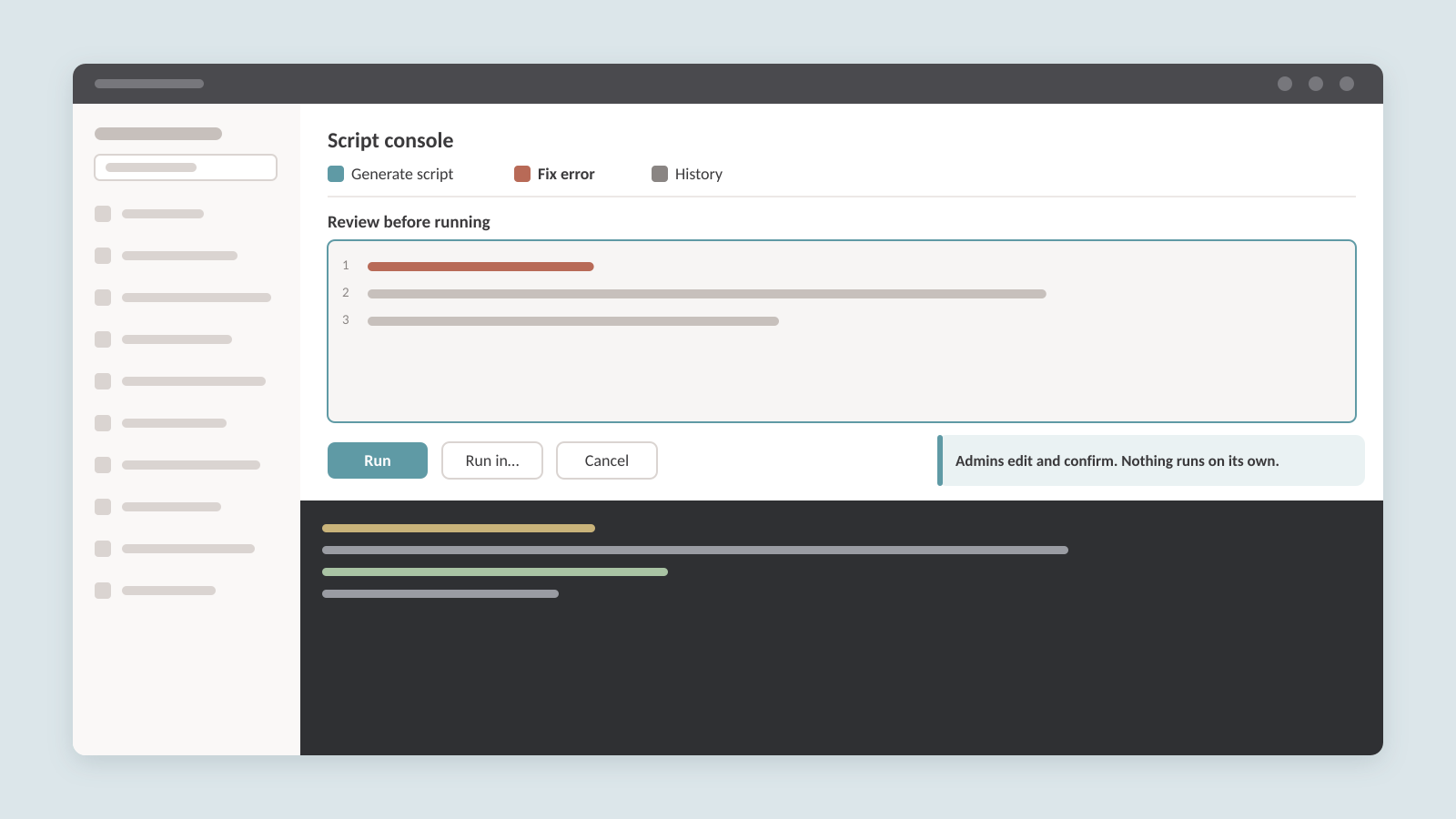
- Generate a script, then review it. AI writes the script into an editor, never straight into the console. Admins read and edit it, then choose when and where to run it.
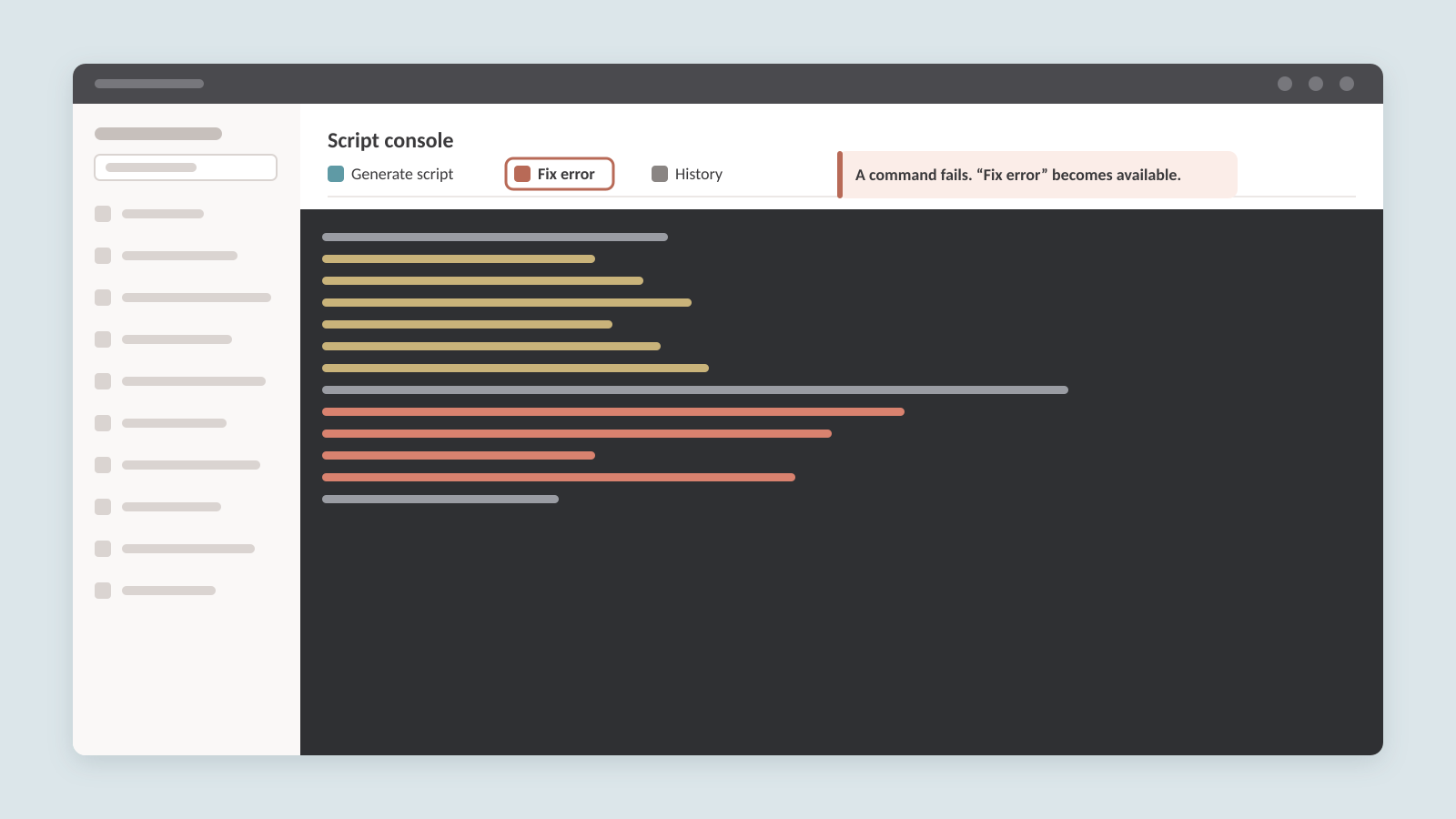
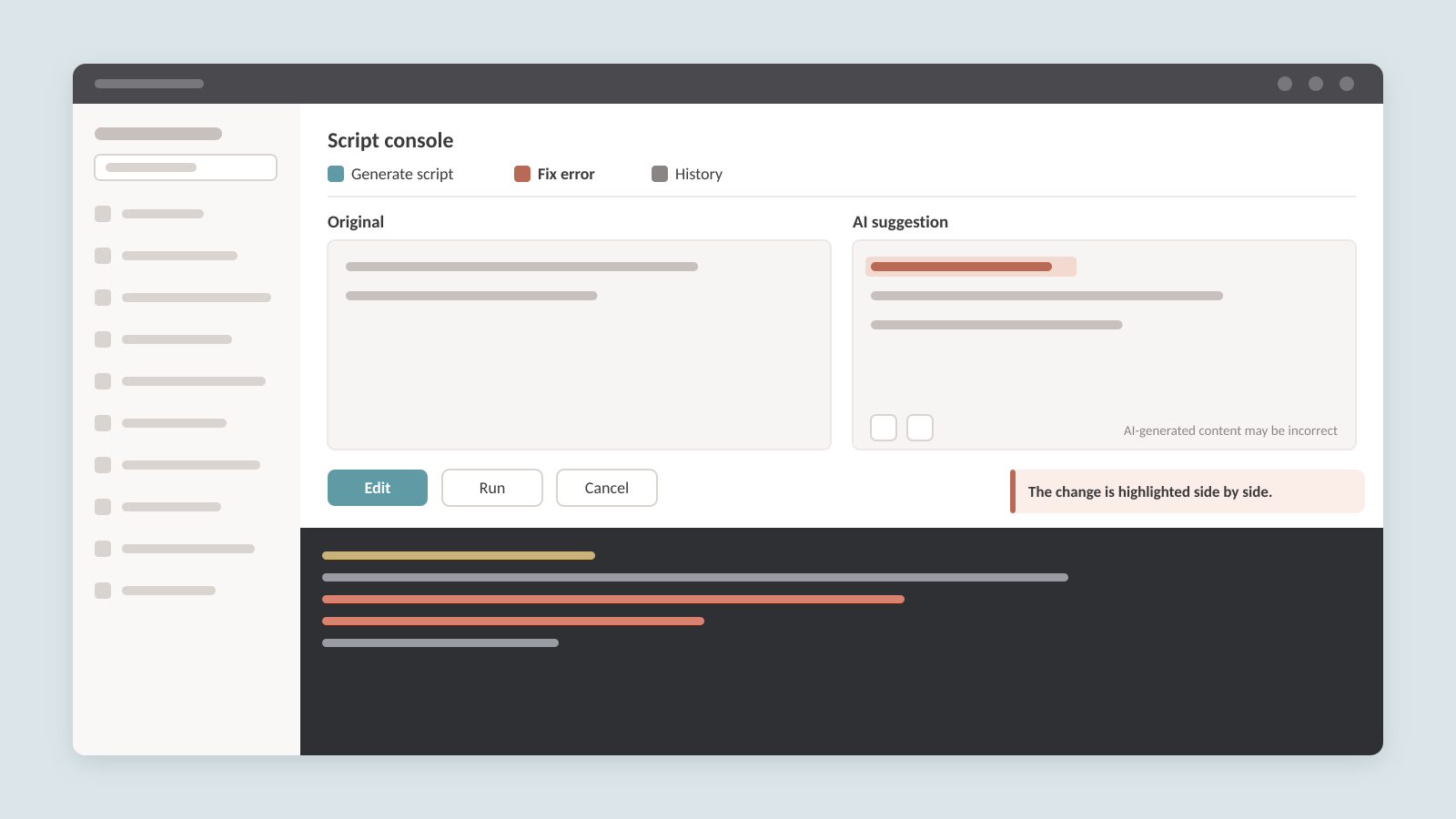
- Fix errors side by side. When a command fails, “Fix error” becomes available. The original and the AI fix appear side by side, with the change highlighted, so admins can see exactly what AI changed and why.
- Be clear about what AI wrote. Every AI suggestion is labeled as AI-generated, with a reminder that it may be incorrect and a quick way to give feedback.
Testing what works
Reviewing a script only helps if people actually catch problems. With Microsoft’s responsible AI researchers, I ran an experiment using scripts with planted errors, comparing the design with two added safeguards: highlighting high-risk commands and a preview that shows what a command would change before it runs. Both made admins more likely to review and edit scripts, and admins asked for them in the product. Catching errors remained hard: in each high-risk task, more than a third of participants still ran a script that contained an error.
We recommended shipping either safeguard, with the preview capability as a stopgap if only one could ship, and continuing to design for verification as AI takes on more admin work.
What I learned
Useful AI earns adoption fast, which makes overreliance a design problem from day one. Showing the output is a start; people also need help understanding it and a safe way to try it.