
Role: Designer & Researcher, Azure IoT (2022–2023)
Focus: Pricing and scale · Hub creation and management
Results: Task completion up 30% · Usability score up 9 points within six months
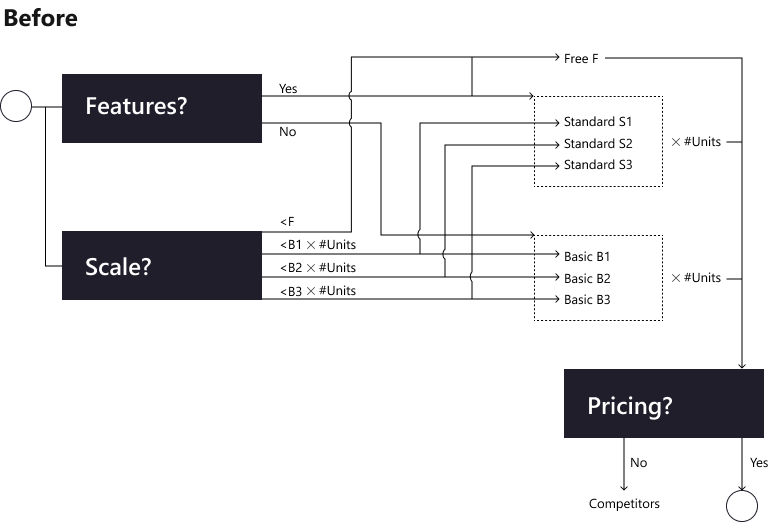
Azure IoT Hub connects and manages devices at massive scale, but choosing the right tier was one of the hardest steps for customers. To pick a hub, they had to reason about features and message volume at the same time, across Basic and Standard tiers and unit counts.
Untangling the pricing decision
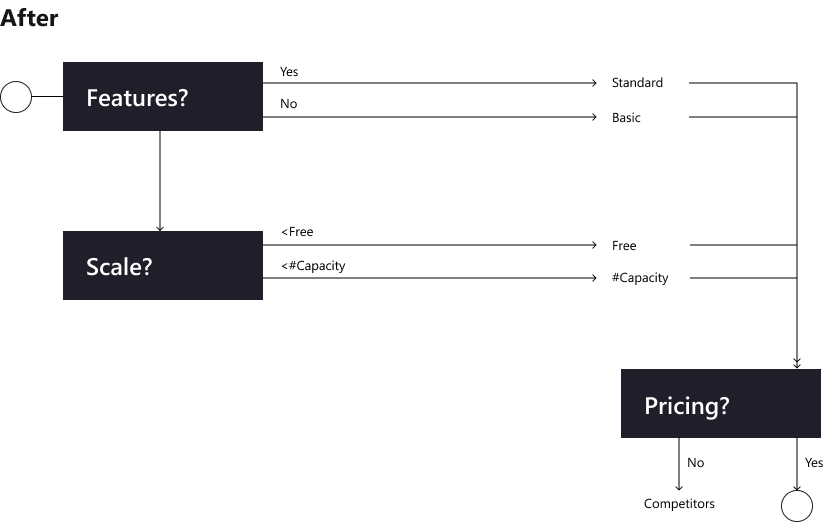
I mapped the decision customers actually had to make. Before, two questions (which features do I need, and how much scale?) branched into seven tier-and-unit combinations. The redesign separates them: choose the features first, then the scale you expect, with a free option to start.
Creating a hub
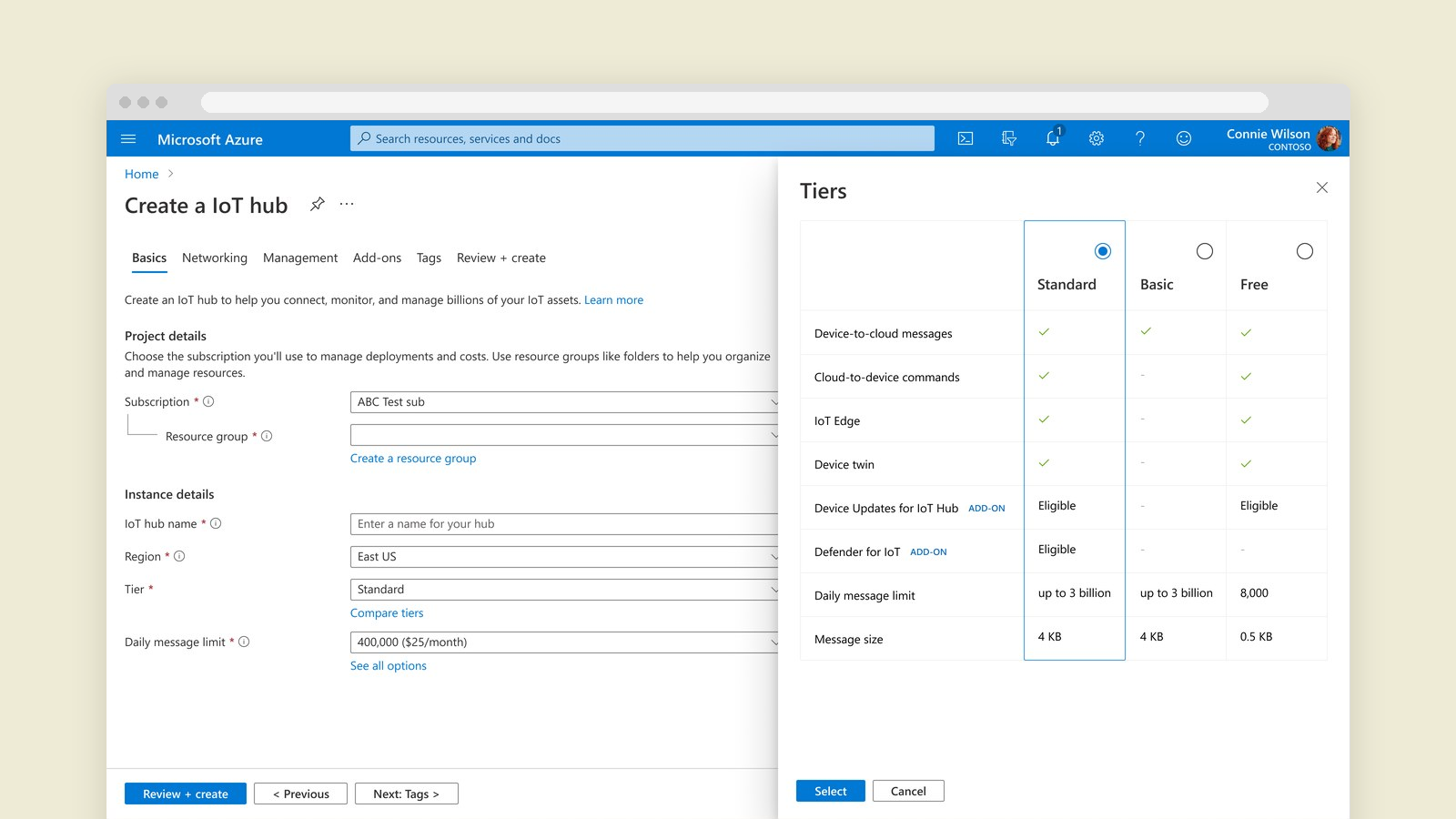
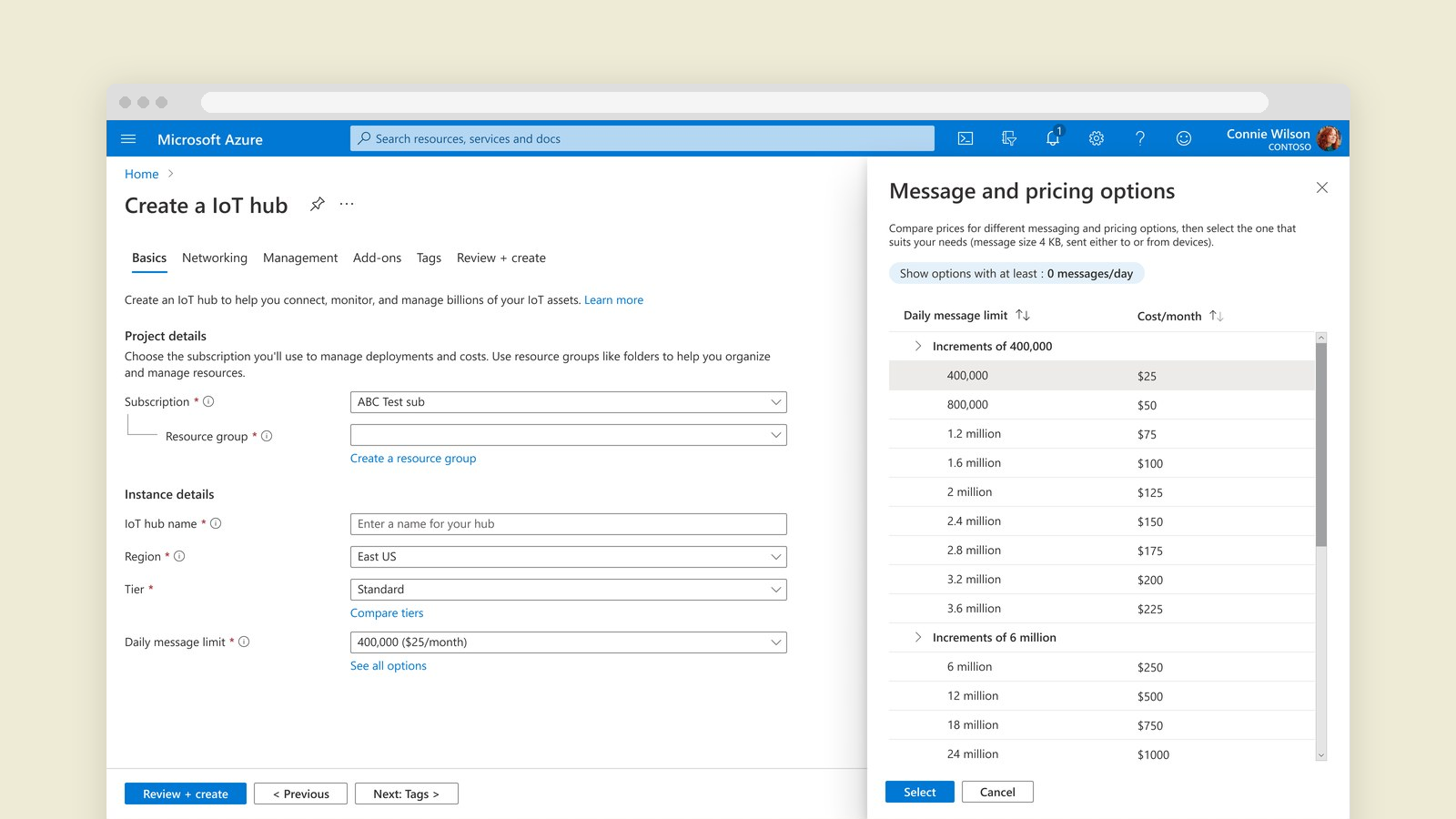
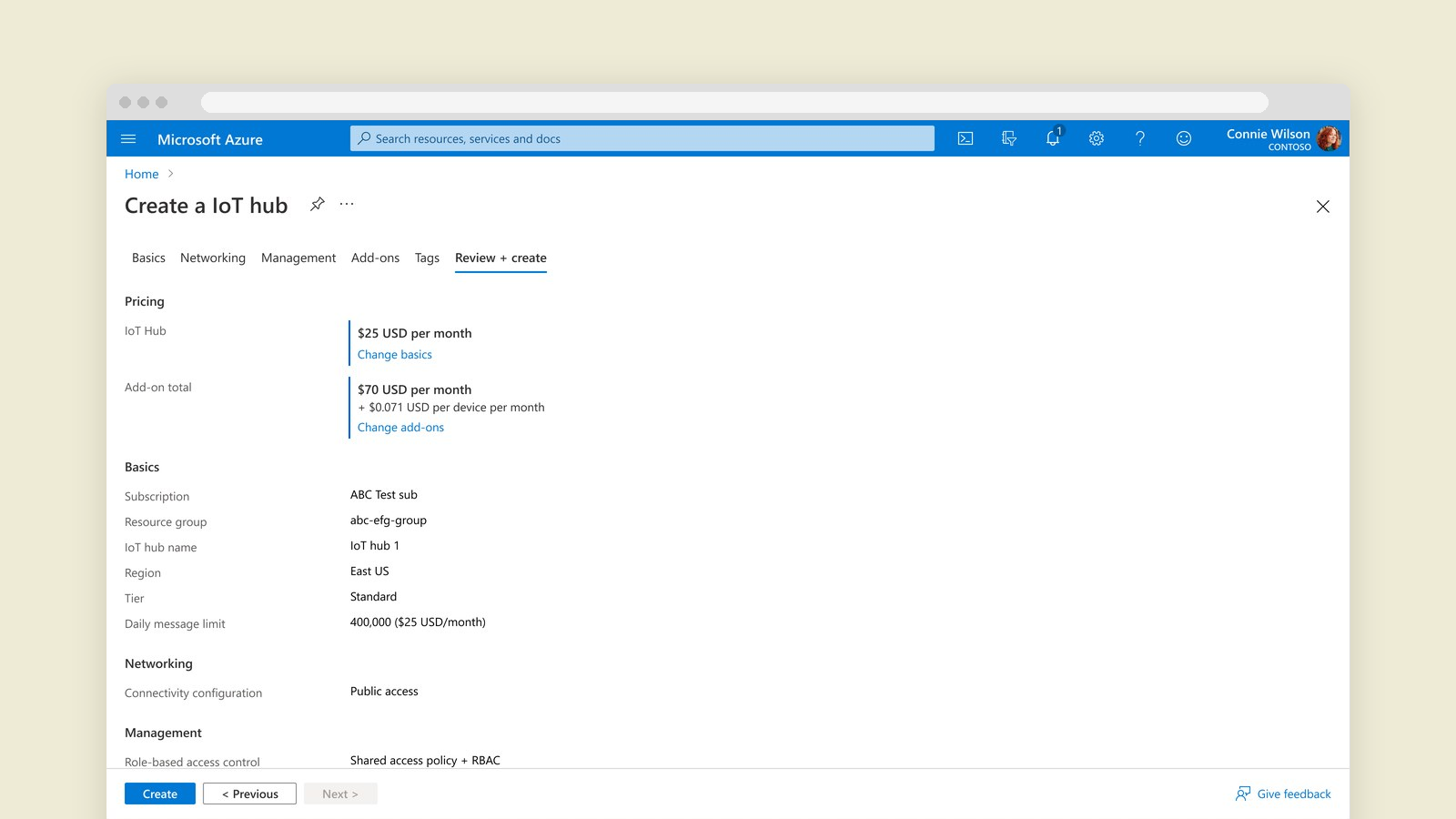
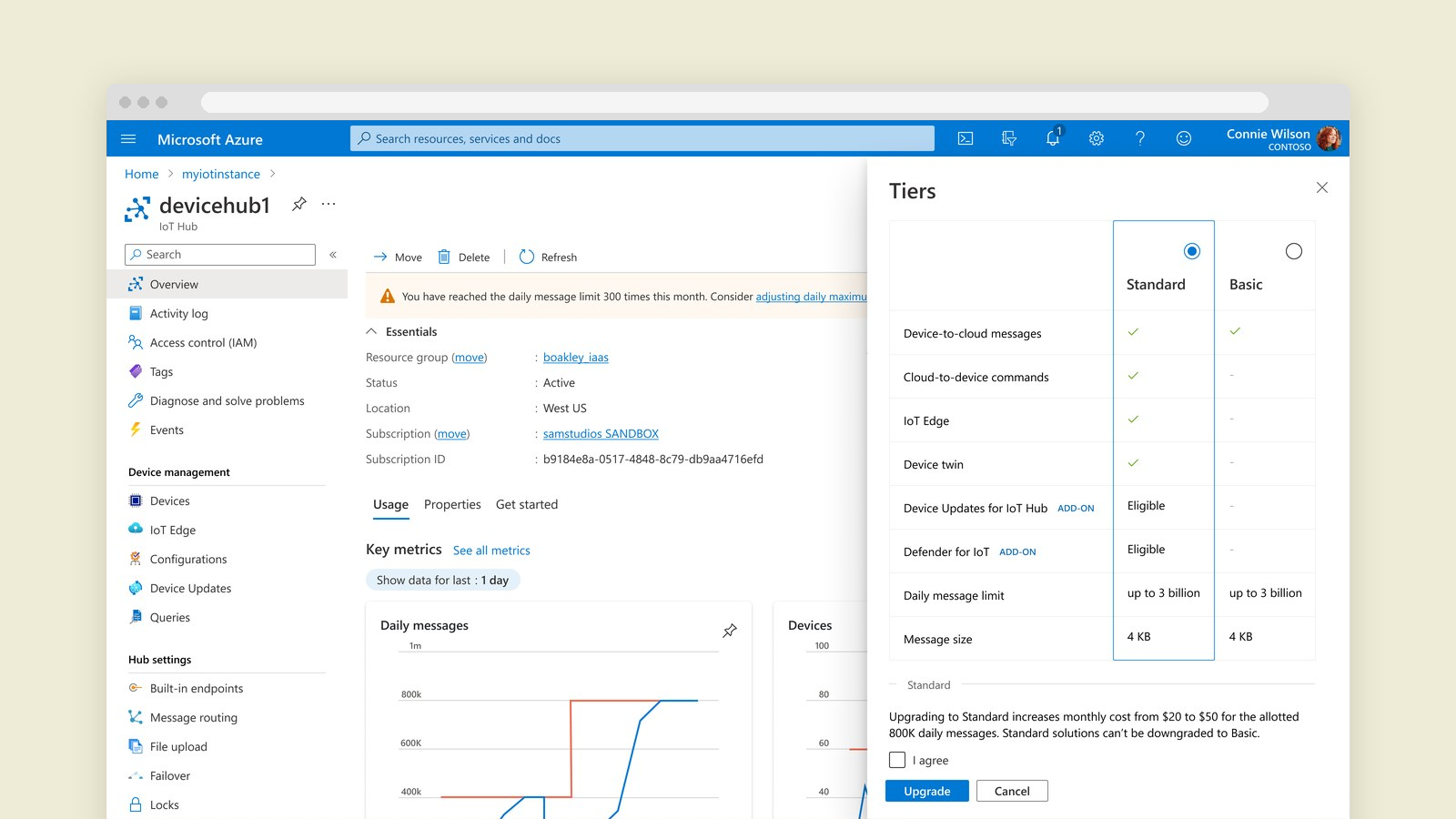
Creating a hub now starts with just the essentials. Customers compare tiers side by side by the features they need, and can start on a free tier to explore with live data. They pick a daily message maximum with its monthly cost shown up front, and a review step sums up pricing before anything is created.
Managing scale over time
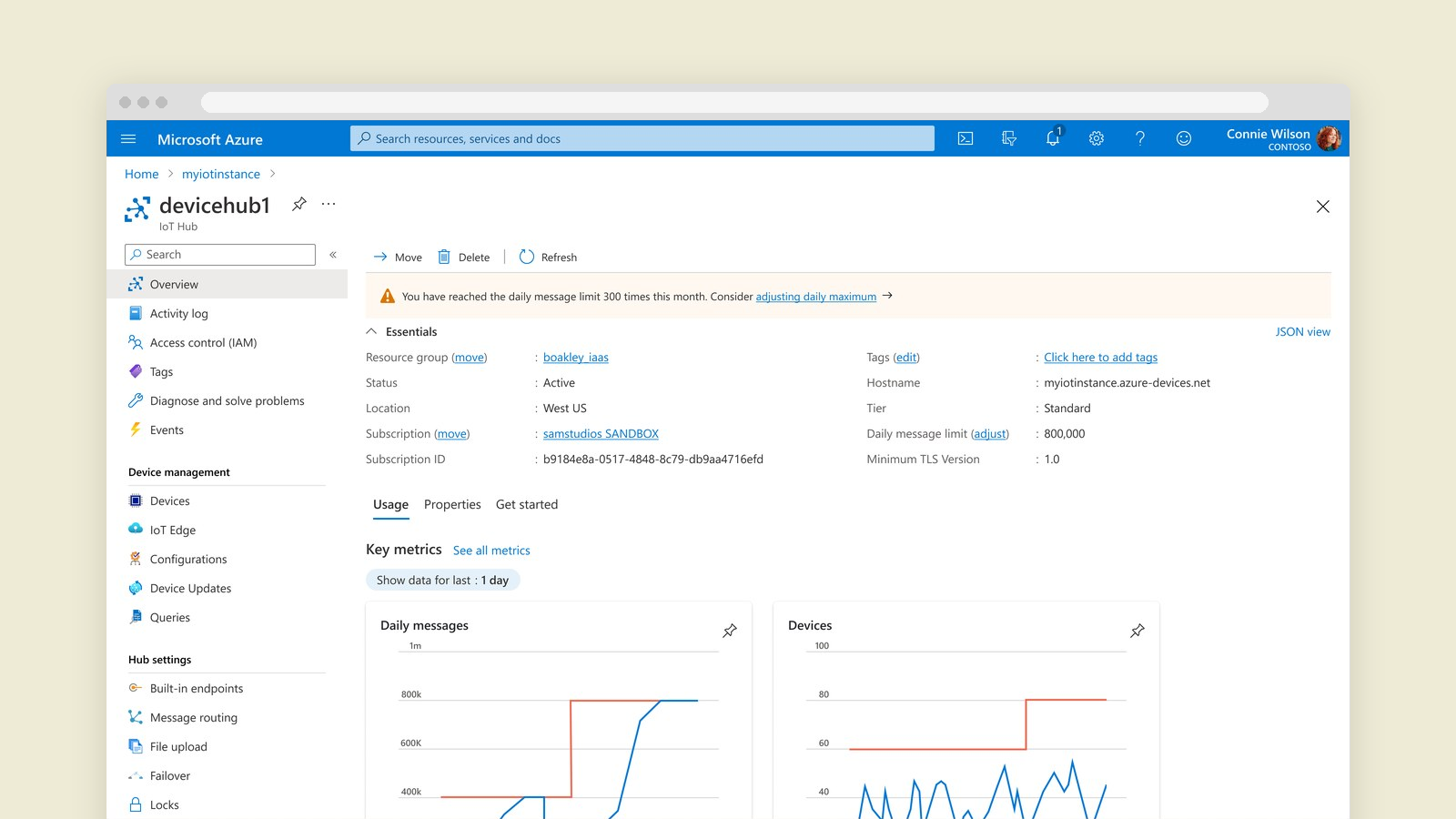
Once a hub is running, the overview flags when it keeps hitting its daily limit and links straight to adjusting it. Upgrading from Basic to Standard happens in the same tier comparison, with the cost change and any trade-offs spelled out before the customer agrees.
How I worked
I worked directly from the service’s API definitions so the designs reflected what the platform could really do, and iterated quickly with engineering, PM and accessibility partners. Alongside pricing, I redesigned routing and endpoint creation, consolidated the Edge view, and added device filters and user preferences. Within six months, product scorecards showed task completion up 30% and the usability score up 9 points.